Magic Links
What are they?
It is a new authentication method for the portals with Magic Links enabled. It allows inviting new users to Dais using quick and easy access via email with one-time tokenized links. It brings a new way you can onboard the user before other methods are set up, like SSO configuration. It allows to authenticate users and track their login flows in an easy way using portal admin.
How does it work?
- Enable the Magic Links for the portal (disabled by default)
- Invite the User using the new authentication method
- The User get an invitation email with Magic Link
- The User gets onboard using the link and starts using Dais
How to get things done
Portal Admin can invite a new user to DAIS using an authentication method called “Magic Link”. Before Admin will invite a new user, this method must be enabled for the portal. To do this go to Portal Admin page -> Portals -> Configuration and select the portal you want to enable the auth method.
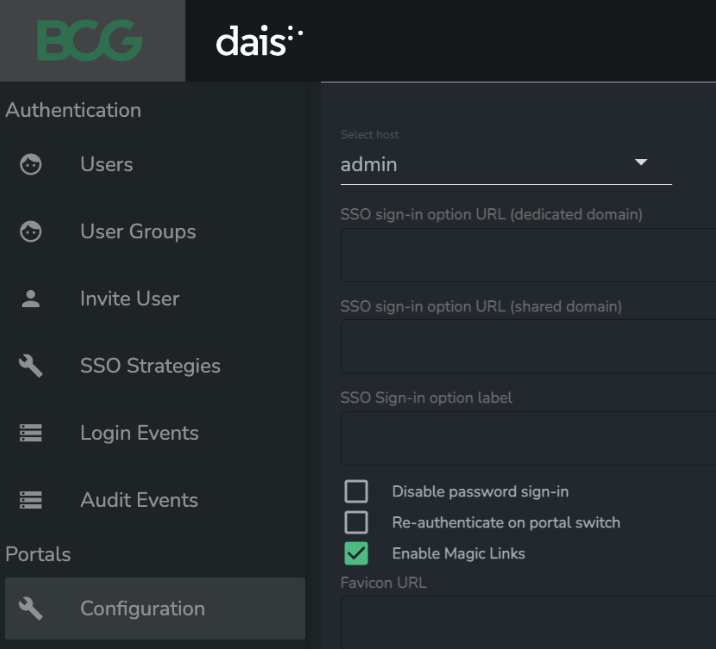
After enabling the auth method for the portal, Admin can go to Authentication -> Invite User

From that page, Admin can Invite new users using “Add New Invite” and fill in the fields. As a “Strategy” Admin need to choose “Magic Link”.
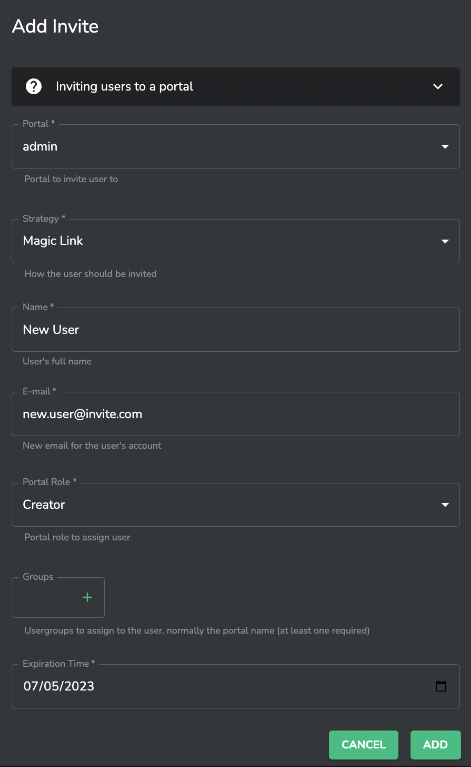
The Magic Link fields descriptions:
Portal Role – For Magic Links “Creator” and “Registered” is available
Groups – User groups (the portal group and user email group are added by default)
Expiration Time – Total expiration time for the Auth Method (the default is 30 days)
As a result of this new record will be created, and the user will get an email with a link to join Dais. Using the link from the email user can log in and start using Dais. Example email that the user gets after the invitation is presented below.
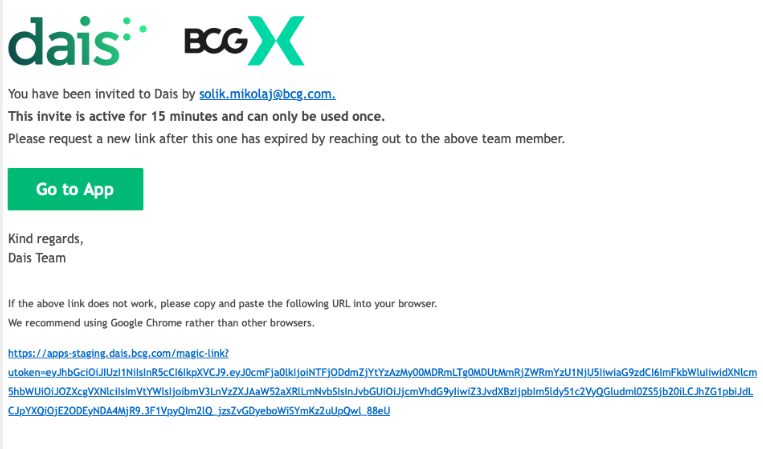
Important rules of using Magic Link:
The first magic link is sent to the user right after the invitation method add and the link is active for 24h
Link can be used only once, and the user session is active for 24h or until the user closes the browser
User can re-send the link at any moment via login page of the portal, if the Auth Method is active (not expired, not revoked)
Admin can re-send the link at any moment via the “Invite User” page, if the Auth Method is active
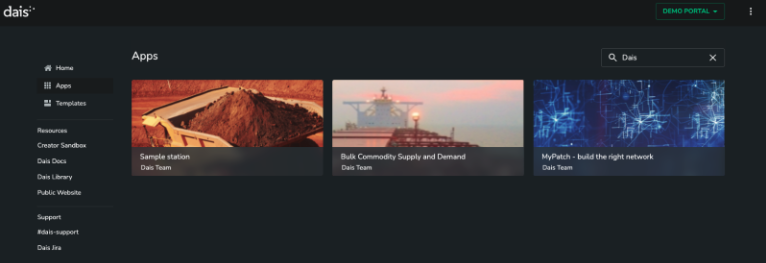
After authentication via the link from the email, the user is authenticated and authorized to the portal to which he was invited and can start using Dais. The portal landing page looks like the below example.
How to re-send the Magic Link?
When the user ends the login session after the first link usage, the user needs to generate and use another new link as the previous one is invalidated. To do this user need to go to the Portal login page, fill in the email input and hit the “SIGN IN WITH MAGIC LINK”.
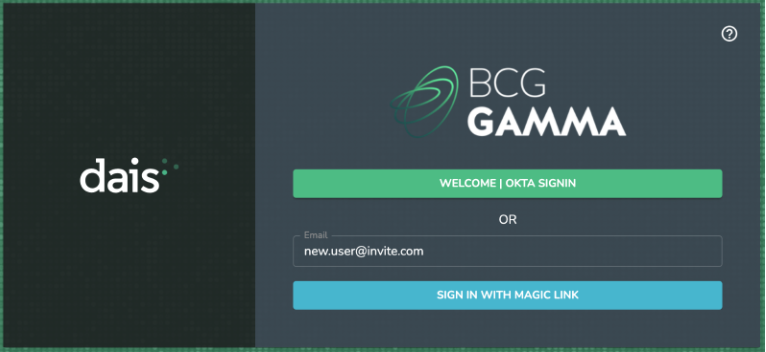
After this action, a new link will be sent, and the user can use a new one to log in. Links generated via the login page are active for 15min.
What Admin can do with Magic Links?
Admin can re-send the Magic link from the “Invite User” page. To do this Admin needs to find the user and for the “Edit Invite” action resend the link. Optionally admin can send links only to yourself.
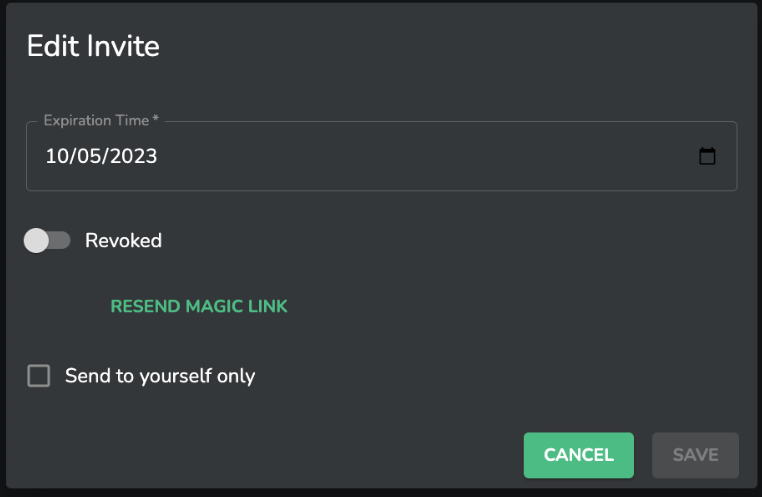
Other options are:
Change the total expiration time for Auth method
Revoke the auth method
Terminology
Auth method expiration time – Total expiration time within the users can re-generate and use magic links
Auth method revoked – Option for Admins to revoke the auth method for user. It can be enabled back at any time
Magic Link is active for X min. - Time within the user can use the link sent via email. After this time link is invalidated and user needs to re-send new link
Dais login session – The regular session after successful login via Magic Link. The session is active for 24h and invalidated after this time or when the user closes the web browser.